 Deutsch
  España
  Francais
  Polish
  Russian
  Čeština
  Greek
Greek  Lithuania
  Romanian
  Arabic
  Português
  Indonesian
  Croatian
  Serbia
  Farsi
Farsi  Hebrew
  Mongolian
  Bulgarian
  Georgia
  Azerbaijani
  Thai
Thai  Turkish
  Magyar
 How to Use AI to Create Materials for the School Library for All Teachers of a Subject


A school can build its own library of teaching materials, presentations, and tests that are available to all teachers within the school.
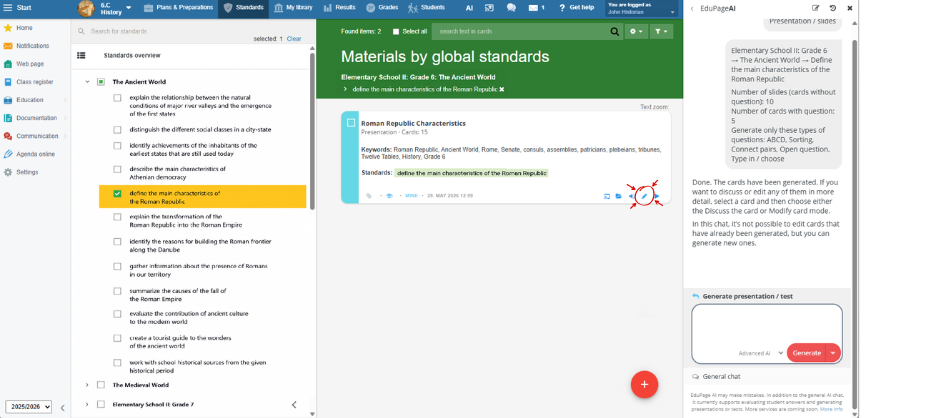
Select a lesson and, in the Standards tab, choose a standard and click the red plus button.
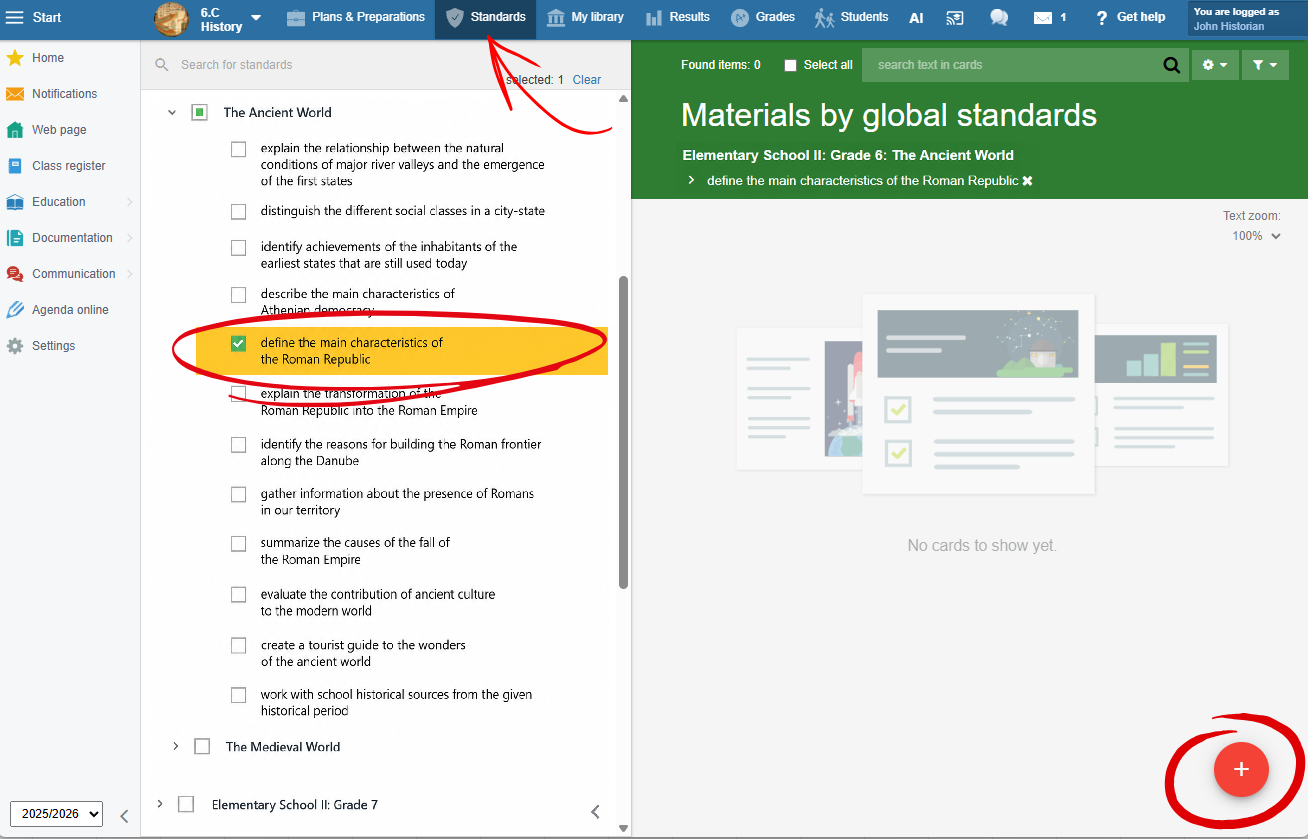
Select "Create a test/presentation using AI".
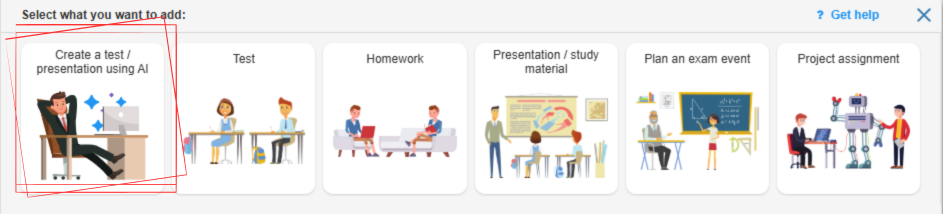
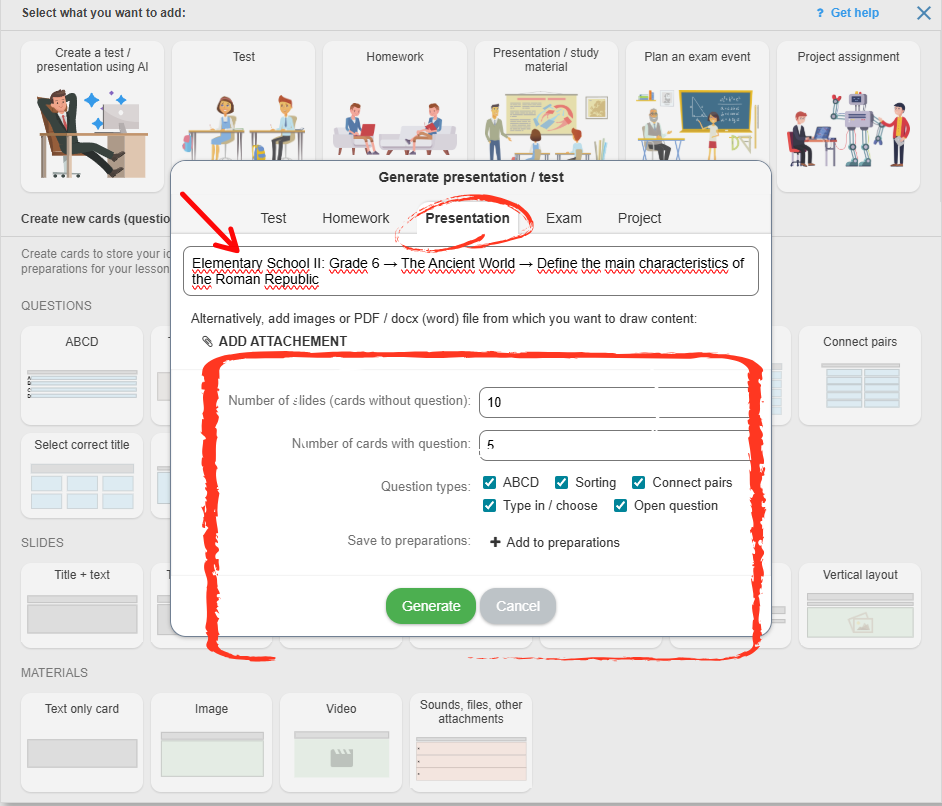
Choose the type of material you want to create: a test, homework assignment, presentation, or project.
The system will automatically fill in the description with the name of the topic and the selected standards. If needed, you can edit the prompt.
Choose how many slides and questions you want the material to contain. For questions, you can also select the question type. Then click Generate.
EduPage AI will generate the material.
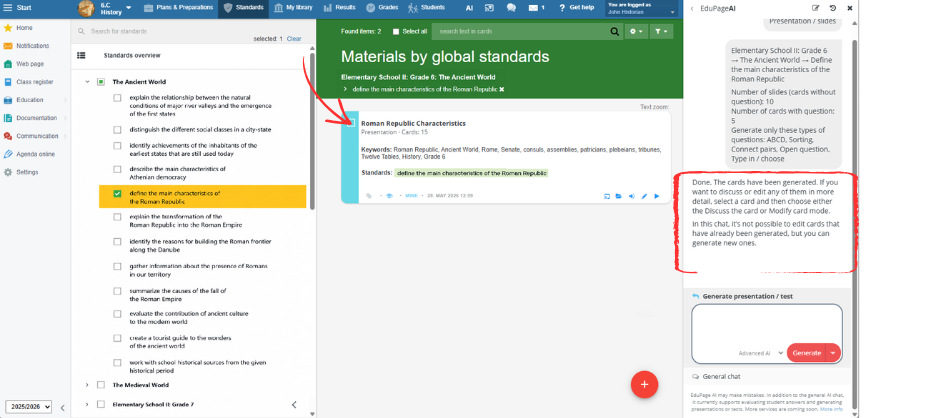
If you want to review or edit the material, click the pencil icon.
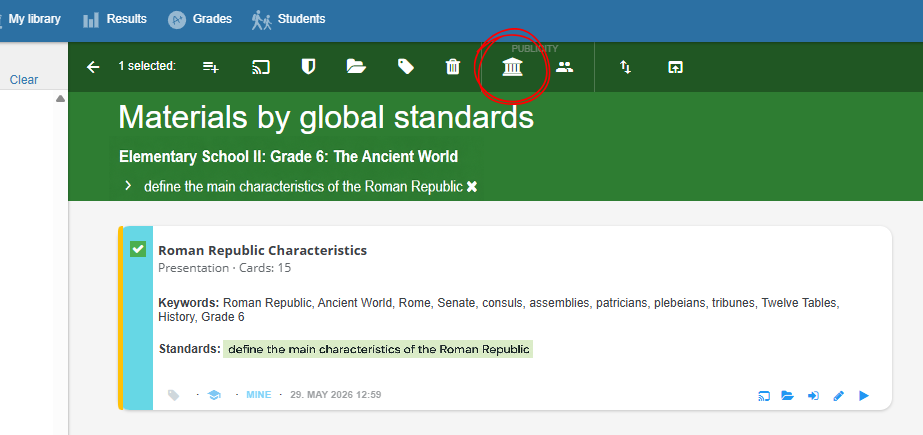
If you are satisfied with the material, publish it to the School Library.
Done. The material card now shows that it has been added to the School Library.
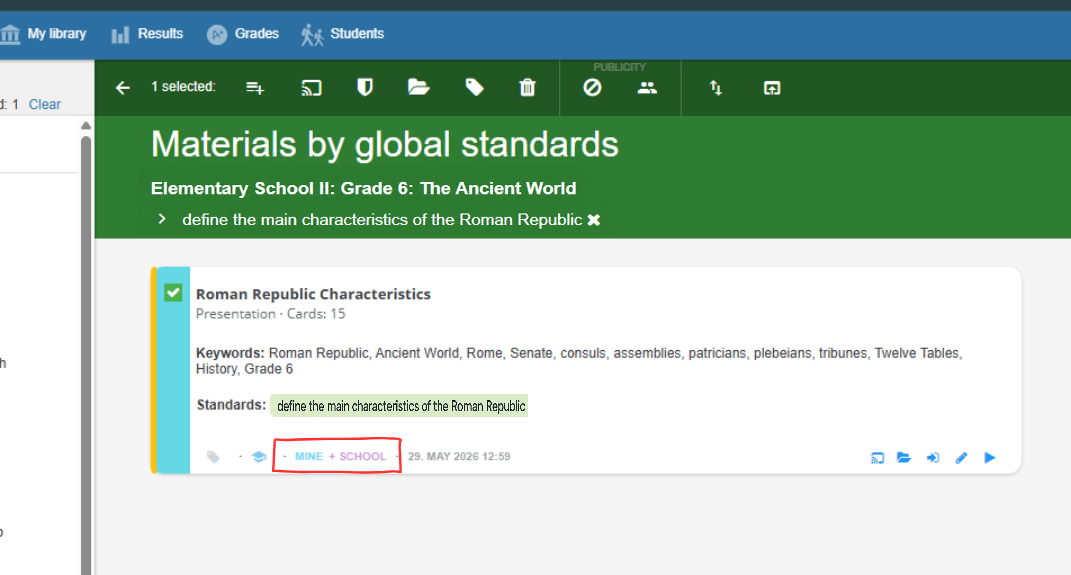
The material will now be visible to all teachers of that subject. When they select the same standard/topic in the Standards tab, they will be able to access it. They can use it during lessons or assign it to students.