 Deutsch
  España
  Francais
  Polish
  Russian
  Čeština
  Greek
Greek  Lithuania
  Romanian
  Arabic
  Português
  Indonesian
  Croatian
  Serbia
  Farsi
Farsi  Hebrew
  Mongolian
  Bulgarian
  Georgia
  Azerbaijani
  Thai
Thai  Turkish
  Magyar
 Grading Paper Tests Using EduPage (Web Interface)


EduPage can automatically evaluate traditional paper tests as well. Simply take photos of them, upload them, and the system will automatically recognize the answers, assign the papers to individual students, and grade the tests for you.
How does the whole process work?
- Prepare your test or quiz in EduPage in the usual way. Then print it out and let students complete it on paper.
- After the test, take photos of the papers or scan them. A regular phone photo is completely sufficient.
- In the web interface, click Upload Students’ Papers.
- EduPage automatically recognizes which test it is, the student’s name, and even the test version if you used multiple variants.
- Save the uploaded papers and start Bulk Answer Scanning.
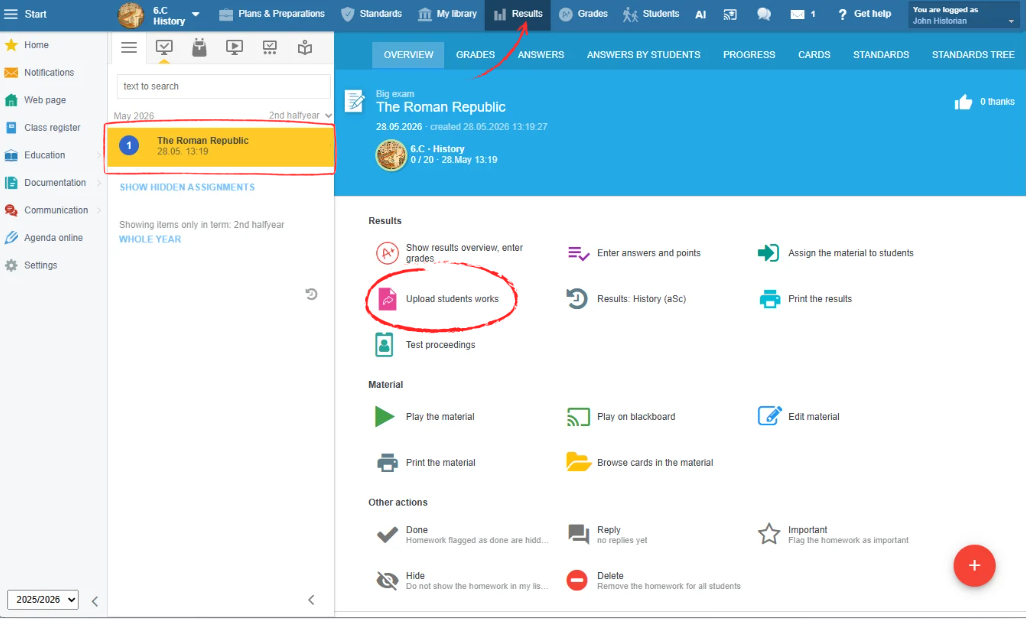
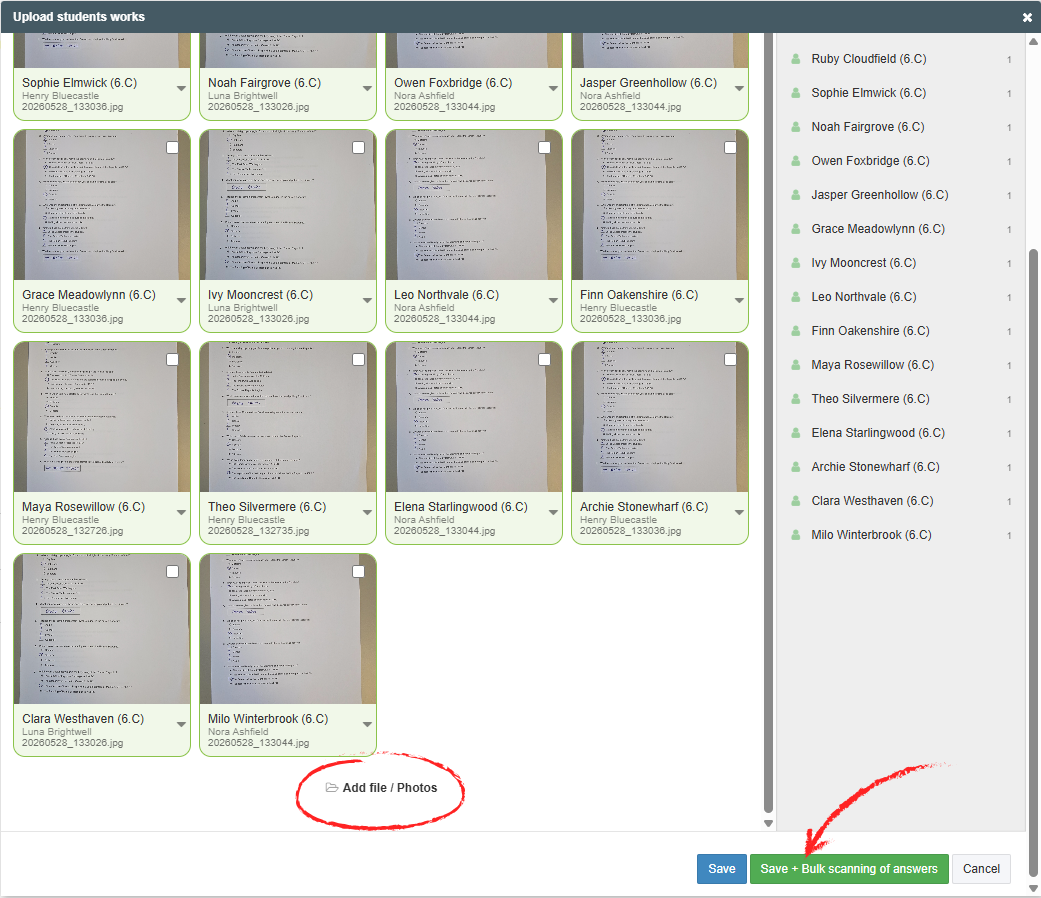
Done, the test is graded. You can send the results to students and record them in the grade book.

For the workflow in the mobile application, including tips for proper scanning and solutions to the most common situations, continue to the guide: How EduPage grades paper tests for you